Table of Contents
- Why Wedding Day Timeline Software for Vendors Matters
- How to Choose Wedding Day Timeline Software
- Top Wedding Day Timeline Software Options
- Wedding Timeline App for Vendors: What Vendors Actually Need
- Wedding Day Timeline Template for Vendors: Building Your Schedule
- Wedding Timeline Examples: Real-World Scheduling Scenarios
- Wedding Vendor Schedule Template: Getting Vendors to Adopt
- Common Mistakes When Managing Wedding Day Timelines
- Frequently Asked Questions
Last Updated: October 12, 2026
Why Wedding Day Timeline Software for Vendors Matters
Coordinating a wedding involves dozens of moving parts. Photographers need to know when the ceremony starts. The caterer must arrive before guests do. The florist requires setup time before the reception begins.
This is where wedding day timeline software for vendors becomes essential. Instead of managing separate conversations with each vendor, you have one live timeline that updates automatically. Everyone sees their own schedule without needing to download an app or log into a portal.
The right wedding day timeline software eliminates these problems by keeping everyone synchronized from the moment guests arrive until the last dance ends.
The best tools do more than display a schedule. They prevent rushing by building in venue buffers. They keep wedding details private and secure. They send updates instantly when plans change, so no one shows up unprepared.
How to Choose Wedding Day Timeline Software
Selecting the right wedding day timeline software requires understanding what matters most for your specific situation. Not every tool handles vendor communication equally well. Some focus on planning details.
Start by identifying your core need. Are you a couple managing a handful of vendors? A professional planner coordinating multiple weddings? A designer needing to sync crews across multiple locations?
Next, consider vendor adoption. The best software means nothing if vendors ignore it. Look for platforms that send schedules via text message rather than requiring app downloads.
Pricing models vary significantly. Some charge monthly subscriptions. Others use one-time licenses. Subscription tools add ongoing costs, especially if you manage multiple weddings yearly.
Finally, evaluate the timeline itself. Can you customize it for different vendors? Can you adjust timing on the day of without losing updates?
Top Wedding Day Timeline Software Options
HAPPILY ON TIME: One-Time License with Text-Based Access
HAPPILY ON TIME stands out for its simplicity and reliability. You pay once, own the license permanently, and never worry about subscription fees again. Vendors and family members receive their schedules via text message without downloading anything.
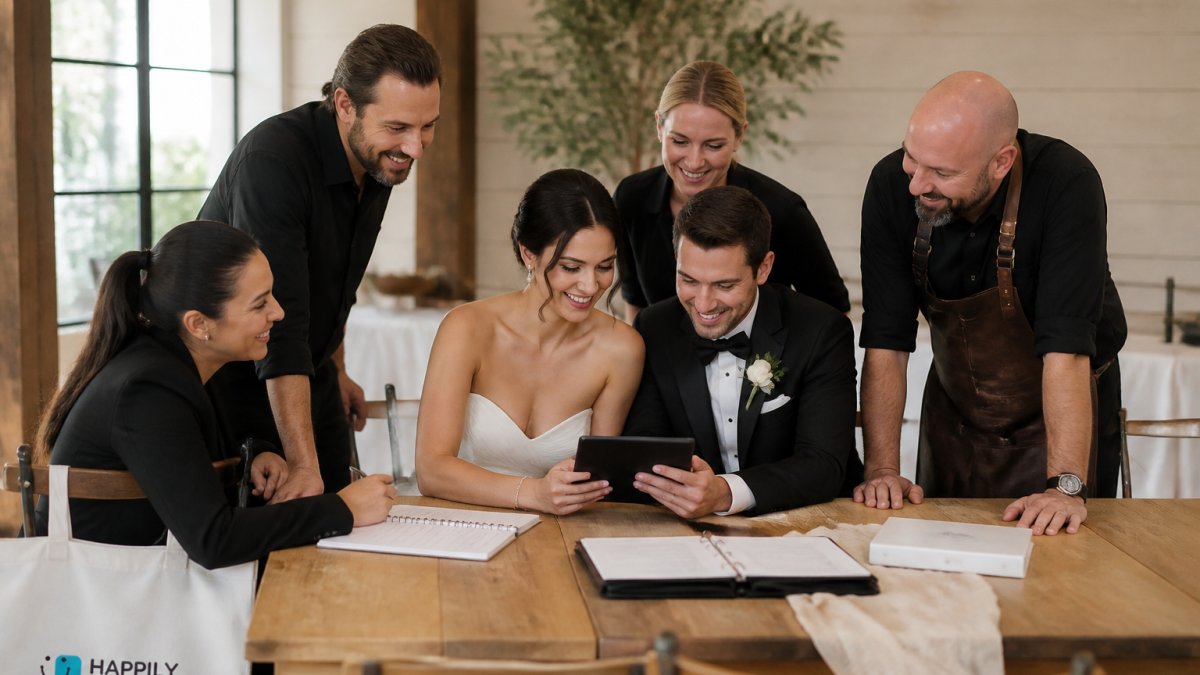
The platform excels at what matters most on wedding day: keeping everyone informed in real time. When you make changes, all parties see updates instantly.
What makes HAPPILY ON TIME genuinely different is the vendor experience. Photographers, florists, caterers, and coordinators don't need to learn a new platform. They get a text with their schedule and can reference it on their phone.
The one-time license model appeals to couples and planners tired of subscription sprawl. No recurring charges. This permanence matters when you're managing one of life's biggest days.
Plutio: Timelines With Vendor Tracking and Business Tools
Plutio combines wedding planning with business administration. It integrates proposals, contracts, timelines, vendor tracking, and invoicing into one platform. For professional planners managing multiple clients, this consolidation reduces tool switching.
The timeline feature connects to vendor tracking, so you can note which vendors are confirmed, pending, or completed. This integration helps planners maintain oversight across all moving pieces. The platform works well for planners who want their entire business operation in one place.
However, Plutio's strength lies in business management rather than day-of coordination. The timeline is a planning tool first, not a real-time vendor communication hub. Vendors don't receive automated updates unless you manually push them.
The monthly subscription adds up across multiple weddings yearly. For a planner managing 20 weddings annually, the cost compounds quickly.
EverSet: Shared Day-of Timelines With CRM Integration
EverSet pairs a client CRM with shared day-of timelines and vendor coordination. The platform lets you track client relationships while managing the wedding day schedule. For planners who want both client management and timeline visibility, this dual focus appeals.
The shared timeline feature means clients and select vendors can view the schedule together. This transparency reduces last-minute questions and clarifies expectations. The CRM integration helps planners track client preferences and communication history.
Pricing requires contacting the company directly. The platform works best for established planners already using CRM tools, rather than couples or solo planners seeking simplicity.
HoneyBook: CRM-Focused Platform for Professional Planners
HoneyBook emphasizes client relationship management over timeline coordination. The platform handles proposals, contracts, invoicing, and client communication in one dashboard. For planners building a branded business, this consolidation simplifies operations.
The timeline exists within HoneyBook but isn't its primary focus. The platform assumes you're managing client relationships as much as coordinating logistics. This works well for established planners with administrative needs, but less so for couples or planners who only need timeline management.
The monthly cost scales with your wedding volume. A planner managing just a few weddings annually may find this expensive compared to single-use tools.
Zola: All-in-One Planning With Day-of Logistics
Zola offers a comprehensive wedding planning service with a checklist and timeline covering budgets, venues, vendors, and day-of logistics. The platform targets couples planning their own weddings rather than professional planners. It includes vendor coordination tools, though the emphasis remains on couple-focused planning.
The timeline integrates with the broader Zola ecosystem, so you manage vendors, budgets, and the day-of schedule in one place. This consolidation appeals to couples who prefer centralized planning. However, Zola's pricing requires contacting the company.
The platform works best when couples use Zola for registry, planning, and vendor management. If you're already invested in Zola's ecosystem, adding the timeline makes sense. If you only need timeline coordination, standalone tools offer more focused solutions.
Wedding Timeline App for Vendors: What Vendors Actually Need
Vendors care about one thing: their schedule. They don't want to log into portals, download apps, or remember passwords. They want to know when they should arrive, where to set up, and what happens next.
The best wedding timeline apps recognize this reality. Text-based delivery ensures vendors see their schedule immediately. No app store searches. No account creation. A simple message arrives with their timing details.
Real-time updates matter enormously on wedding day. If the ceremony starts 20 minutes late, vendors need to know instantly.
Vendor-specific views prevent information overload. A photographer doesn't need to see when the caterer arrives. The florist doesn't care about the ceremony processional order. Customized timelines show each vendor only their relevant details, reducing confusion and increasing focus.
Wedding Day Timeline Template for Vendors: Building Your Schedule
Creating a wedding day timeline requires thinking through the entire day sequentially. Start with the earliest vendor arrival and work forward chronologically.
A typical wedding day timeline begins with vendor setup. Florists arrive first to arrange ceremony flowers. Photographers follow to scout locations and prepare equipment.
Next comes the getting-ready phase. Allow 2-3 hours for hair, makeup, and dressing. This window varies based on party size and complexity.
The ceremony itself requires precise timing. Include the first look (if planned), family portraits, and processional details.
Reception timing follows the ceremony. Vendors need to know when guests arrive, when cocktail hour begins, when dinner service starts, and when dancing begins.
Build in buffer time throughout. A 15-minute buffer between ceremony and reception accommodates photos running long or guests lingering. A 10-minute buffer before vendor arrivals prevents early showups.
Wedding Timeline Examples: Real-World Scheduling Scenarios
Consider a typical wedding with ceremony at 4 PM and reception at 6 PM. The timeline might look like this:
1:00 PM, Florist arrives for ceremony setup 2:00 PM, Photographer arrives for getting-ready coverage 2:30 PM, Hair and makeup begin 4:00 PM, Ceremony begins 4:30 PM, First look and family portraits 5:30 PM, Guests arrive for cocktail hour 6:00 PM, Reception begins, dinner service 8:00 PM, Toasts and dancing 11:00 PM, Last dance and departure
This sequence accounts for setup, getting-ready time, ceremony, photos, and reception flow. Each vendor knows exactly when they're needed and what comes next.
A destination wedding adds complexity. If the ceremony is at a resort and reception at a separate venue, vendors need travel time between locations. The timeline might include 30-minute travel buffers between venues. Vendors need clear directions and parking information.
A wedding with multiple photography sessions (getting-ready at home, ceremony at church, portraits at park, reception at venue) requires a detailed timeline showing the photographer's movement between locations. Each location needs setup time and weather contingencies.
Wedding Vendor Schedule Template: Getting Vendors to Adopt
The best timeline means nothing if vendors don't use it. Getting adoption requires removing friction from their experience.
Start by sending the schedule via text message rather than email. Vendors can reference a text instantly.
Include clear instructions. Tell vendors what time to arrive, where to go, and what to do when they get there. Include parking details, contact information, and backup plans.
Send the schedule well in advance. Vendors need time to plan their day around your wedding.
Confirm receipt. Ask vendors to reply confirming they received the schedule and understand their timing. This confirmation prevents assumptions and catches misunderstandings early.
Update vendors immediately when changes occur. If the ceremony shifts 20 minutes later, text vendors instantly. Don't assume they'll check email or remember the original timing.
Common Mistakes When Managing Wedding Day Timelines
The biggest mistake is building a timeline without vendor input. A photographer might need 45 minutes for portraits, but your timeline only allows 30.
Another common error is ignoring travel time. If the ceremony is 15 minutes from the reception venue, vendors need 20-30 minutes to pack up and travel.
Many couples and planners underestimate getting-ready time. Hair and makeup for a large party takes longer than anticipated.
Failing to communicate changes is a major problem. If the ceremony runs 20 minutes late, vendors don't know unless you tell them.
Using tools that don't work for vendors is another pitfall. A platform requiring app downloads or account creation will see low adoption.
Finally, many people create timelines without contingency plans. What happens if the ceremony runs long? What if a vendor cancels?
Frequently Asked Questions
What is the best wedding day timeline software for vendors?
The best option depends on your team size and technical comfort. HAPPILY ON TIME works well for couples who want vendors to receive schedules via text without app downloads, with live updates and no recurring fees. Plutio suits planners managing multiple clients with vendor tracking built in. EverSet combines shared timelines with CRM features. Compare based on whether you need app-free access, subscription costs, and vendor coordination depth.
Can wedding vendors access a wedding timeline without downloading an app?
Yes. HAPPILY ON TIME specifically sends vendor schedules via text message, eliminating the need for app downloads. Vendors receive their customized timeline and any updates directly, making adoption easier for teams that struggle with new platforms. Other platforms may require app downloads or account creation, which can create adoption friction with vendors who already manage multiple communication channels.
How do you keep wedding vendors updated when the wedding day timeline changes?
Modern wedding day timeline software sends automatic updates to all users when changes are made. HAPPILY ON TIME pushes live updates via text so vendors see changes instantly without checking an app or email. Other platforms notify users through the app or email. The key is choosing software with real-time sync rather than static PDFs or spreadsheets that require manual redistribution.
What should a wedding day timeline template for vendors include?
A vendor timeline should show their specific arrival time, setup window, task sequence, and when they hand off to the next vendor. Include buffer time between events to prevent rushing. Add contact information for the day-of coordinator. Show only the details relevant to each vendor, not the entire wedding schedule. Templates should cover ceremony timing, photography windows, reception setup, and breakdown, with clear role assignments.
Is there free software for creating a wedding day timeline?
Most professional wedding day timeline software for vendors operates on subscription or one-time license models. HAPPILY ON TIME uses a one-time license with no recurring fees.
Wedding day timeline software for vendors transforms chaos into coordination. The right platform keeps everyone synchronized without adding complexity to your day. HAPPILY ON TIME delivers this simplicity through text-based schedules, real-time updates, and vendor-specific views. Start your timeline and experience the peace of mind that comes from knowing everyone is on the same page.